Avanan by CheckPoint, our email security service, uses lots of techniques to find and block spam, viruses, and ransomware in email. It also does heavy analysis on any attachments (like Word docs, PDFs, etc.), and blocks any that look like they might contain malware.
Most of this magic happens behind the scenes, though. The features described below are the main things that you and your users will see.
You may see two different kinds of email reports…
Quarantine/Spam Reports
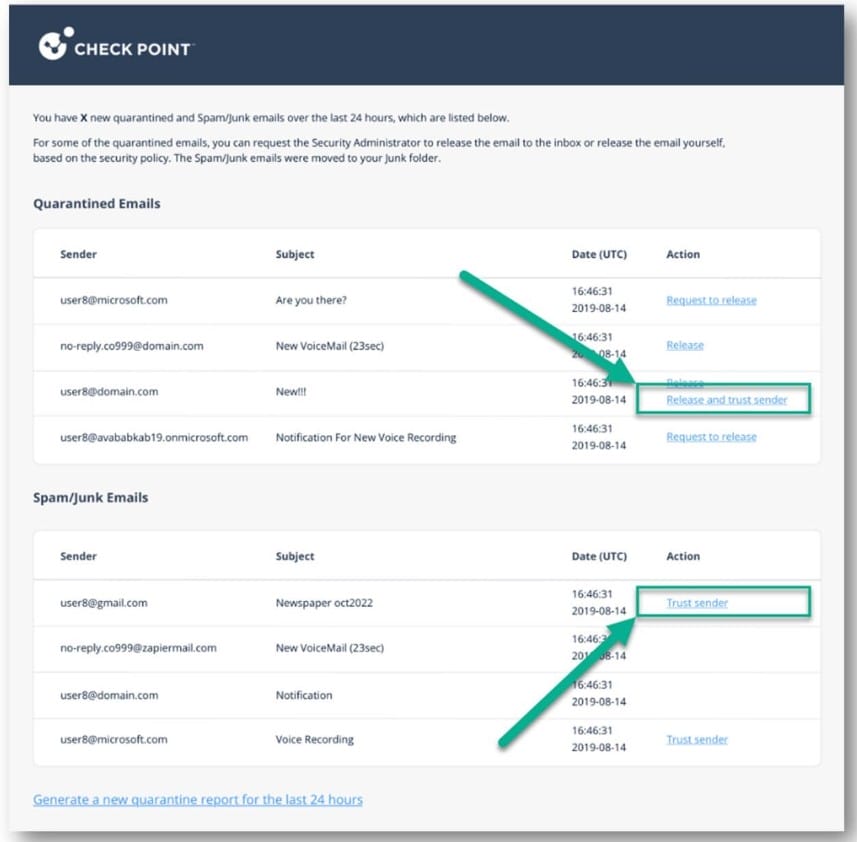
Depending on your email volume, you may get emails like this from Avanan – it will show emails that are quarantined, and it may show some of the marketing/junk emails that Avanan moves to your spam folder.
Quarantined Emails at the top are emails that Avanan has blocked for delivery.
If this is a legitimate email that was quarantined by mistake, you can click “Release” to send it to your inbox. But be very careful with emails released from Quarantine!
Spam/Junk Emails are emails that Avanan has determined are spam or junk and have moved them to your junk folder. You can click ‘trust sender’ to keep any future emails from that sender out of your spam folder.
If any are legitimate, you can check your Junk or Spam folder and move to your inbox if needed.
***Please note: if you don’t receive these digests, that’s ok! You will definitely receive digests if a message is quarantined, but not always for ‘moved to spam’ messages.
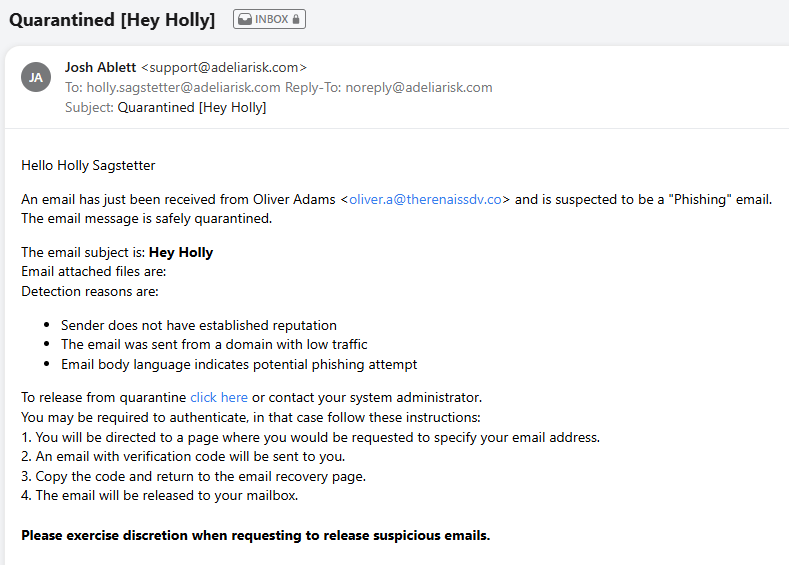
In addition to these daily digests, you will receive a real-time email for any Quarantined Emails. The designated admin from your company also receives a notice about any Quarantined Emails. That means you won’t have to wait for the daily digest to learn that an incoming email has been quarantined.
Real-Time Quarantine Notifications
Whenever Avanan thinks an email is malicious, it will Quarantine it and send you an email notification like this:
Please use caution before releasing any Quarantined Emails!